 62c15ab976
added branding in a seperate file and a config.h replace_rules count in branding does not work as of now way better replace functions that actually work |
||
|---|---|---|
| .vscode | ||
| bin | ||
| build | ||
| docs | ||
| include | ||
| make | ||
| src | ||
| testing | ||
| .gitignore | ||
| Makefile | ||
| README.md | ||
README.md
colorterm
Project description
Requirements
Requirements
RHEL-like:
sudo dnf install readline-devel
Debian[12]:
sudo apt update; sudo apt install build-essential libreadline-dev make
Building from source
One-liner to shell for Debain-based distros:
sudo apt update; sudo apt install build-essential libreadline-dev make git && git clone https://git.stephenltoth.com/icaema/colorwrap.git && cd colorwrap && make && make test;
Run:
bin/cterm /bin/sh
# or
make test

# they do the same thing
Usage
make test

# or

make traces
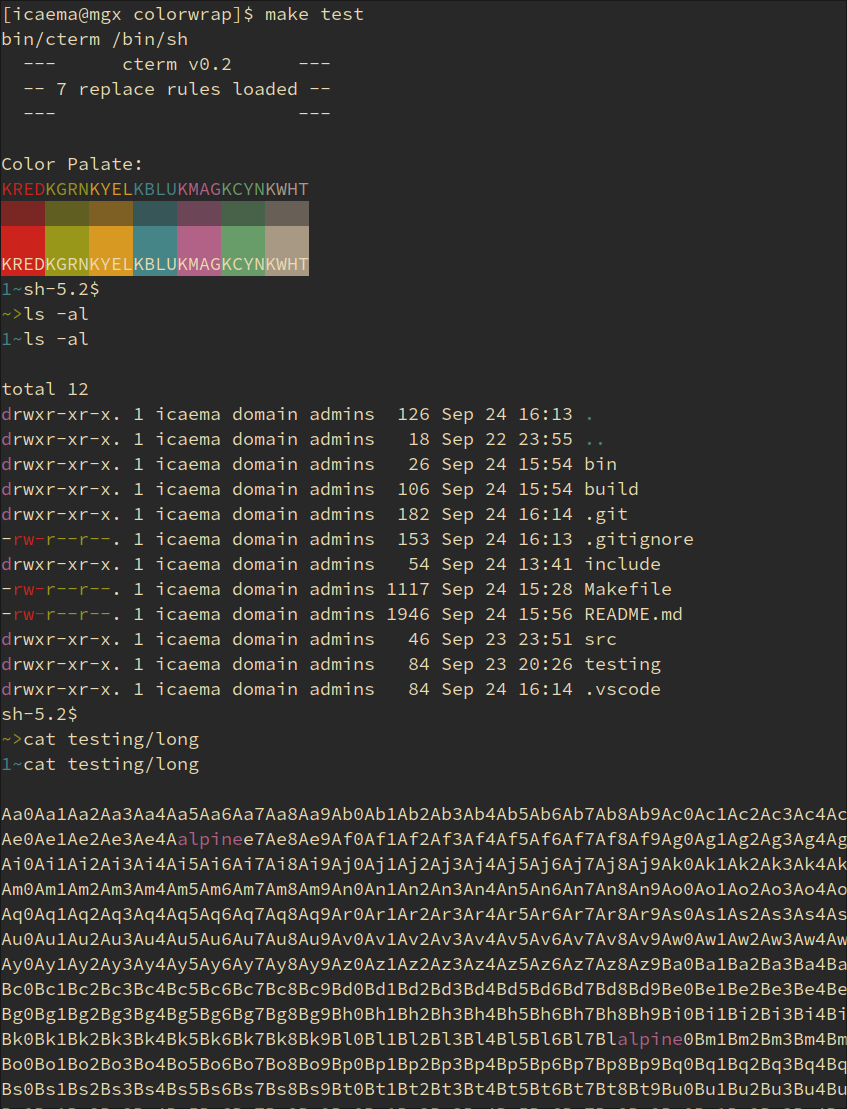
As of right now there are only 7 hardcoded replacements (for color) in the src/main.c file Listed here:
// all are temporary
"^d"        //-> Magenta
"r--"       //-> Green
"rw-"       //-> Red
" .$"       //-> Blue
" ..$"      //-> Blue
"alpine"    //-> Magenta
"z9Da0Da1"  //-> Red
I know its not regex matching yet, just go with it
In the testing directory, there are some test files for doing ls -al and a long file for being long (with some keywords being sprinkled in).
Considerations and Caveats
Since this program buffers input by line, It will not handle TUI-based commands Examples include less and vim
If you need to use these kinds of applications, do not use this program to wrap your shell.
Installation
Normal Build: make
Debug Build: make debug
Example
Documentation
Location of Documentation
Directory structure
|-- Makefile           <- Project makefile
|-- README             <- Project README
|-- bin                <- Compiled binaries
|   `-- run            <- Project main executable
|-- build              <- Static objects and intermediate files
|-- docs               <- Documentation
|-- include            <- Header files
|-- lib                <- Dynamic objects
|-- src                <- Source files
`-- tests              <- Unit tests